Doctor Bionic – Eyes Of Chavez
Doctor Bionic is back with Electric Pollen, the fourth instalment in Cincinnati producer Grimez’s Terrestrial Radio series, out May 15 on Chiefdom Records. “Eyes of Chavez” opens the album — and it’s a solid indicator of what the record does well.
The track starts with a short intro from Cincinnati rapper Crunch Ex, then locks into a guitar riff from Brad Myers that doesn’t let go. Marvin Hawkins on drums and Kevaugh Byers on bass set the foundation, and Charlie Suits (saxophone), Eric Snyder (trumpet), and DJ On Tha One (keys) hit the hook in unison. That refrain is the kind of thing that sticks whether you want it to or not.
The whole album follows the same approach Grimez has used across the Terrestrial Radio series: get the musicians in a room, hit record, and see what happens. “I’d say 90% of our music is improvised”, he explains. The process sounds casual but the results are tight — the sessions have a live, warm quality that you don’t get from music built track-by-track in a DAW.
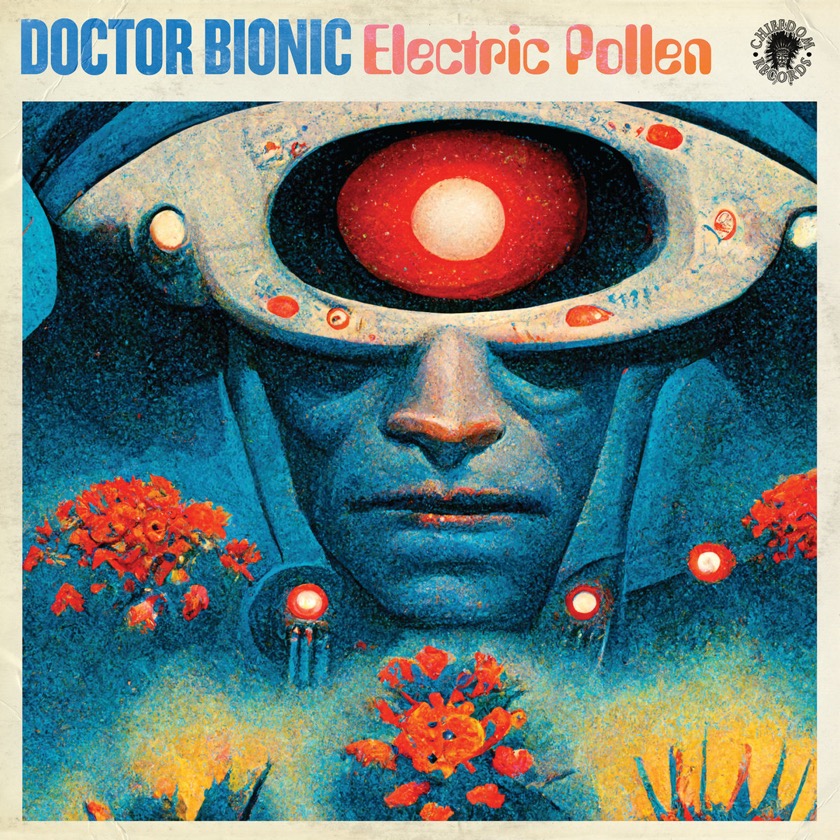
One thing that makes Doctor Bionic different from other instrumental projects is how the concepts take shape. Grimez starts with artwork — he buys or licences a piece that catches his eye and builds the surrounding music. The Electric Pollen cover, made by Automatic Bastard, has a retro sci-fi poster feel: an almost-human face flanked by red flowers, pollen on its nose and mouth. From there, the album title and music followed. It’s an unusual way to work, but it shows in the cohesion of the finished product.
Tracklist:
- Intro
- Eyes Of Chavez
- Moment of Clarity
- Chopping Block
- See The Future
- Cactus Snake – Part 2
- Fools Errand
- In The Water
- Interlude
- Over The Mountain
- Tried & True
- Be Your Own Man
- Never Enough
- 10,000 Immortals
- Gold Coin
- Electric Pollen